AI-native SDLC · Part 1
Can AI polish software the way people do? I spent six months finding out with an IAM platform
Getting AI to write code is easy. Knowing whether the code is right is the hard part. On auth9 I tried an answer: QA documents as the spec, and sixteen skills closing the loop from planning through testing, fixing and deploying.
This is the first half of One methodology, three projects, three different endings. The original version was written in February 2026 and lives in the auth9 repository as
docs/blog-ai-native-sdlc.md, in English, Chinese and Japanese. This rewrite reflects the project as it ended on June 27 (491 commits).
The thing I wanted to know
At the start of 2026 I had one question: if nearly all the code is written by AI, can you end up with something that actually belongs in production?
Not a demo. Not a weekend project. It had to be complex enough to expose the methodology’s weak spots, with security requirements high enough that “close enough” simply doesn’t count.
I picked IAM, identity and access management. Everything in it interlocks: multi-tenant isolation, OIDC and OAuth2, Token Exchange, hierarchical RBAC, webhook signatures, audit logs. One wrong decision surfaces as a dozen subtle bugs somewhere else. A TODO app proves nothing; every method looks good on easy problems.
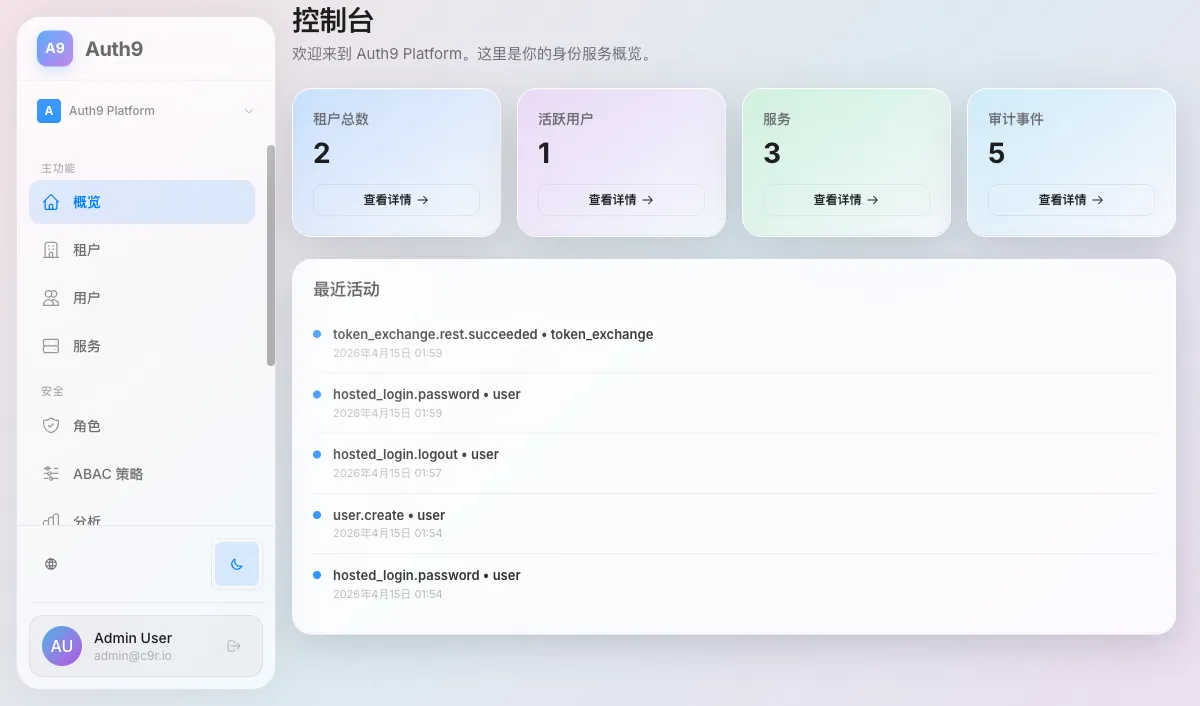
The result is Auth9, a self-hosted Auth0 alternative: Rust backend, React Router 7 frontend, TiDB, Keycloak, with a live instance at auth9.c9r.io. Almost all of the code was written by AI, and almost every step was driven by a skill. But Auth9 itself is a by-product. What I was really testing was the pipeline.
The bottleneck was never writing code
Anyone who has used Copilot, Cursor or Claude Code knows the code comes out faster. But writing code was never the hard part. The hard part is knowing whether the code is right, and knowing it fast enough and automatically enough that verification doesn’t become the new bottleneck.
What AI writes often looks right and falls over on the first run: a missing dependency, a lint error, a logic slip. Prompting it after every failure myself was too slow. So I set one rule: verification has to be as automated as code generation. The AI writes, then tests its own work; if the tests fail, it fixes them. I am not going to be the person staring at error output all day.
Put the other way round: if code comes out ten times faster but verification is still manual, all you have gained is a ten-times-bigger QA backlog.
Testing moved one step earlier
Code-level tests are still there. cargo test finishes in a second or two with no external services; I explicitly banned testcontainers and real databases. Playwright covers end-to-end, Vitest covers the frontend. All of it is AI-generated too.
In front of that I added a layer: QA test documents. Each one is a structured description of what to test, how to test it, and how to check the result in the database. The AI writes them, I review, then the AI executes them: driving a browser, calling APIs, querying the database, hitting gRPC. Honestly it is closer to traditional manual testing, just automated. It cannot fully replace manual testing yet, but it carries most of the load.
The order changed too. The test plan is not something scribbled after a feature ships. It is the first artifact produced after a feature is planned, and it decides what code gets written, what gets verified, and what gets caught when something breaks.
A side note on spec-driven development: the QA document is the spec. A design doc describes what you want, but it cannot tell you whether you got it. A QA document does both: it defines the expected behaviour and it can be verified automatically against the running system. Nobody notices when a design doc goes stale. A QA document fails the moment reality drifts from the spec. A spec that can’t be executed is just a wish.
The pipeline
Sixteen Agent Skills chained together, each stage’s output feeding the next:
Human + AI ──► Plan feature
                  │
                  ▼
          ┌─ Generate QA / security / UIUX test docs   (qa-doc-gen)
          ▼
          ┌─ Execute tests automatically                (qa-testing, e2e-testing, ...)
          ▼
          ┌─ Failures → structured tickets              (docs/ticket/)
          ▼
          ┌─ Read ticket → reproduce → fix → reset env
          │   → re-run → close ticket                   (ticket-fix)
          ▼
          ┌─ Periodically audit doc quality             (qa-doc-governance)
          ▼
          ┌─ Realign tests after refactors              (align-tests, test-coverage)
          ▼
          ┌─ Deploy to Kubernetes                       (deploy-gh-k8s)
└─────────────────────────| Phase | Skills |
|---|---|
| Plan | project-bootstrap |
| Code | rust-conventions, keycloak-theme |
| Test docs | qa-doc-gen, qa-doc-governance, feature-request-governance |
| Execute tests | qa-testing, e2e-testing, performance-testing, auth9-grpc-regression |
| Fix | ticket-fix, align-tests |
| Coverage | test-coverage (at least 90% at every layer) |
| Deploy | deploy-gh-k8s |
| Operate | ops, reset-local-env |
Each skill is a markdown file plus a few scripts. The same set is shared with Claude Code, Gemini and Cursor through directory mirrors and symlinks, so there is one copy to maintain, not three.
For passing information around I chose the least fancy option available: the filesystem. docs/qa holds the specs, docs/ticket holds the tickets. Agents are very good at bash, reading and writing files is precise and fast, and the whole process leaves a trail you can go back through when something goes wrong.
What a real QA document looks like
One scenario from the tenant CRUD suite:
Initial state: user is logged into the admin dashboard; no tenant with the same slug exists in the database.
Steps: confirm the “Tenant Management” entry exists in the sidebar → open the list → click “Create Tenant” → fill in name
Test Company, slugtest-company, a logo URL → click “Create”.Expected result: a success notification; the tenant appears in the list with status Active.
Expected data state
SELECT id, name, slug, logo_url, status FROM tenants WHERE slug = 'test-company';
-- expected: one row, status = 'active'
SELECT action, resource_type FROM audit_logs WHERE resource_type = 'tenant' ORDER BY created_at DESC LIMIT 1;
-- expected: action = 'tenant.create'
The SQL at the end is the part that matters. The AI is not allowed to pass a test because the UI showed “success”; it has to go to the database and confirm the data actually landed. That is how the entire class of “frontend says yes, backend quietly failed” bugs gets caught.
docs/qa/_manifest.yaml is the index of these documents and scripts/qa-doc-lint.sh keeps their structure honest.
How the AI “polishes”
ticket-fix is the most interesting skill in the pipeline. A failed test produces a structured ticket, and the skill then reads it, reproduces the failure, makes a minimal fix, resets the environment (every time, without exception, because a dirty environment makes every result meaningless), re-runs the exact steps from the ticket while keeping evidence, analyses false positives, and closes the ticket.
False-positive analysis is what makes the whole thing work. Not every failure is a bug. Often the test itself is broken: a command missing an auth header, a vague precondition, an environment assumption that doesn’t match the Docker defaults, test data pointing at something that doesn’t exist. Once a false positive is confirmed, the skill doesn’t just close the ticket. It goes back and edits the QA document: makes implicit requirements explicit, makes the example commands copy-paste runnable, adds a troubleshooting table.
So whether the failure was a real bug or a badly written test, the suite gets a little better every time it fails. The software and the spec converge together. That is what I mean by polishing.
The results of each batch show up directly in commit titles, for example:
Resolve 27 QA tickets: fix 9 bugs, close 14 false positives, defer 4 feature gaps
Fix 44 QA tickets: 3 bugs, 41 false-positive doc updates
There were 36 commits like that over the life of the project.
Documents rot. Then what?
Test documents go stale. Routes change, APIs evolve, permissions get restructured, and suddenly half the suite is testing behaviour that no longer exists.
My answer was to keep them in constant use. Every QA document is executed by agents over and over, so the moment one goes stale it shows up as a pile of false-positive tickets. You can’t pretend not to see it.
qa-doc-governance audits periodically, classifying findings as P0 (flow unusable), P1 (governance drift) or P2 (style), and works through lint, classify, fix, sync indexes, report. It runs after features or refactors, and there is a weekly script. One hard rule: every document must carry a regression checklist, so even a drifted document still gives you a minimum path to verify.
qa-doc-gen also does a mandatory cross-document impact analysis. When a route, token model, permission or piece of UI copy changes, it scans every document and each affected one has to be marked “patch required”, “note required”, or “no change, and here is why”. Writing a new document while leaving the old ones to rot is not allowed.
So what do I actually do
- Plan: decide what to build, write acceptance criteria, make architectural trade-offs.
- Review: the AI-generated test documents, and the first version of any new feature’s code. The QA execution and ticket-fix loop is entirely the AI’s.
- Steer: read the root-cause analysis when a false positive shows up; decide the remediation when governance flags a P0.
- Architecture: domain modelling, data flow, security boundaries.
My own time investment was about the same as on earlier projects. The output, by my own estimate, was more than ten times higher. After twenty-odd rounds, AI-run tests still produce tickets, just far fewer than in the early rounds, and the application gets a bit more complete each pass. It is not that different from how human engineers polish software through repeated QA. The loop is just faster, and every round is on record.
I think the human’s core value is deciding what to build and what not to build, and supplying judgement. One thing I didn’t expect: to set up an environment where agents can verify their own work, you need to understand development, infrastructure and security at the same time. This approach needs full-stack people more, not less.
As a developer I have always leaned towards extreme programming. As a tech lead I trust the team, but I use agile and test-driven practices for risk management. My attitude to AI is the same: most of the risk-management techniques we already have in software, the XP ones especially, apply directly to managing agents.
What it can’t do
- Genuinely novel architecture decisions still need a person. The AI is good at implementing patterns it has seen.
- The threat model needs human security expertise. Automated tests cover known patterns; they don’t discover new attack paths.
- The mix of skills and the testing focus need tuning per project. Some projects don’t need UI tests; some care more about the API or the data layer.
Some numbers
| February 2026 (original post) | June 2026 (project end) | |
|---|---|---|
| Agent Skills | 16 | 16 |
| Test documents | 156 (96 QA + 48 security + 12 UI/UX) | 224 (155 QA + 47 security + 22 UI/UX) |
| Tool scripts | 9 | 11 |
| Lines of skill definitions | ~2,300 | 2,725 |
| Rust tests | — | 2,710 |
| Commits | — | 491, of which 24 (~5%) by copilot-swe-agent |
| Humans | 1 | 1 |
Try it yourself
Clone the repo, read scripts/run-qa-tests.sh, then run it. The agent will bring up the environment and start executing the SDLC. Or open opencode or claude-code and just say execute all QA/security/UIUX tests. Gemini runs the same flow too.
None of this is specific to identity platforms. The whole idea fits in one sentence: don’t just use AI to write code faster; use it to close the loop between planning, testing, fixing and deploying.